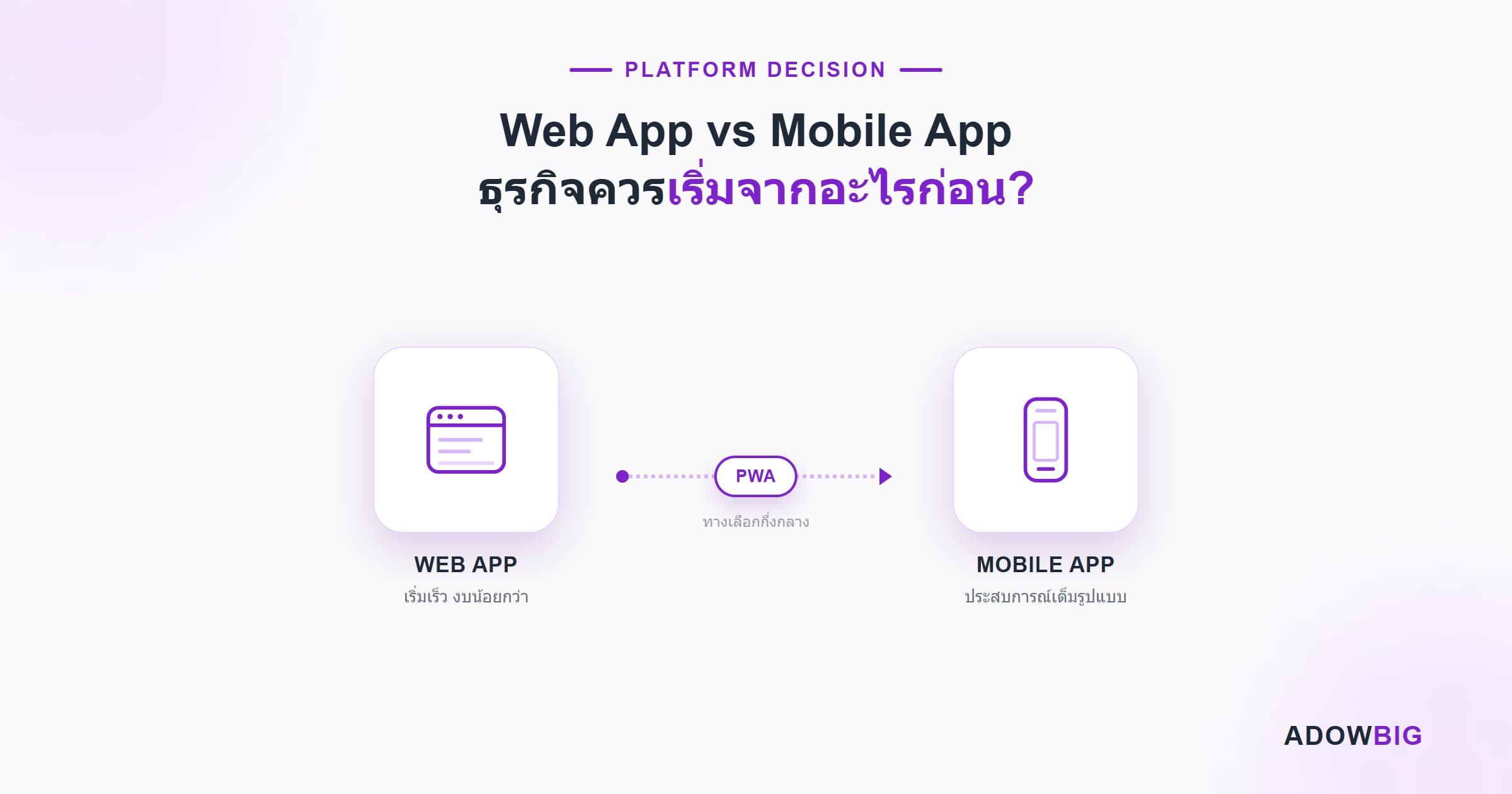
ธุรกิจที่กำลังเริ่มต้น Digital Transformation มักเจอคำถามเดียวกัน: "เราควรทำ Web App หรือ Mobile App ก่อน?" คำตอบไม่ได้มีสูตรตายตัว แต่มีกรอบการคิดที่ช่วยให้คุณตัดสินใจได้ถูกต้อง
Web App คืออะไร?
Web App คือ Application ที่ทำงานผ่าน Browser เช่น Chrome, Safari หรือ Firefox ผู้ใช้ไม่ต้อง Install อะไรเพิ่ม แค่เปิด URL ก็ใช้งานได้ทันที ตัวอย่างเช่น Google Docs, Notion, Figma
ข้อดี:
- พัฒนาครั้งเดียว ใช้ได้ทุก Device (Responsive Design)
- ไม่ต้องผ่าน App Store Review → Deploy เร็ว Update ง่าย
- ต้นทุนพัฒนาต่ำกว่า 40–60% เมื่อเทียบกับ Native App
- SEO ได้ — Google Index ได้โดยตรง
ข้อจำกัด:
- เข้าถึง Hardware บางอย่างได้จำกัด (Camera, GPS, Bluetooth บางฟีเจอร์)
- ไม่มีใน App Store → Discovery ยากกว่า
- ประสิทธิภาพต่ำกว่า Native App สำหรับงาน Heavy Processing
Mobile App คืออะไร?
Mobile App คือ Application ที่ต้อง Install ผ่าน App Store หรือ Play Store แบ่งเป็น:
- Native App — พัฒนาแยกสำหรับ iOS (Swift) และ Android (Kotlin) ประสิทธิภาพสูงสุด
- Cross-platform — ใช้ Framework เดียวเขียนได้ทั้ง iOS/Android เช่น React Native, Flutter
ข้อดี:
- ประสิทธิภาพสูง เหมาะกับ Heavy UI หรืองาน Real-time
- เข้าถึง Device Feature ได้เต็มที่ (Camera, Push Notification, Biometric)
- User Experience ดีกว่าสำหรับ Consumer Products
- Distribution ผ่าน App Store → Trust สูง
ข้อจำกัด:
- ต้นทุนสูงกว่า — iOS + Android = พัฒนา 2 Platform
- ผ่าน App Store Review ช้า (Apple อาจใช้เวลา 1–3 วัน)
- Update ต้องรอ User กด Update เอง
เมื่อไหรควรเริ่มด้วย Web App
เริ่มด้วย Web App เมื่อ:
กำลัง Validate Idea — ยังไม่แน่ใจว่าตลาดต้องการ Product คุณ Web App ช่วยให้เปิด Beta ได้ภายใน 4–8 สัปดาห์ ประหยัด Budget ไว้ Iterate
Target เป็น B2B หรือ Internal Tool — พนักงานและลูกค้า Business ส่วนใหญ่ใช้ Desktop/Laptop การมี Web App เพียงพอสำหรับกลุ่มนี้
Content-heavy Product — Blog, E-commerce, Marketplace, Dashboard — Web App เหมาะกว่าเพราะ SEO ดีและผู้ใช้ไม่ต้องการ App บน Phone
Budget จำกัด — Web App ใช้ทีมเดียวพัฒนาได้ ประหยัดกว่า Native 2 Platform มาก
เมื่อไหรควรเริ่มด้วย Mobile App
เริ่มด้วย Mobile App เมื่อ:
Core Feature ต้องการ Device Hardware — แอปถ่ายรูป, Fitness Tracker, Augmented Reality, หรือ Payment ด้วย Face ID — ต้องการ Native API ที่ Web ทำไม่ได้
Consumer Product ที่ต้องการ Daily Engagement — Social App, Food Delivery, Ride Hailing — ผู้ใช้ต้องการ Push Notification และ Icon บน Home Screen
Offline-first — แอปที่ต้องทำงานได้แม้ไม่มี Internet เช่น Inspection App, Field Sales App
มี Budget และ User Research แล้ว — รู้ชัดแล้วว่า Target User ใช้ Mobile เป็นหลัก
Progressive Web App (PWA): ทางเลือกกลาง
PWA คือ Web App ที่เพิ่ม Capability ให้ทำงานได้เหมือน Mobile App:
- Offline Support — ทำงานได้แม้ไม่มี Internet (Service Worker)
- Push Notification — แจ้งเตือนผู้ใช้ได้เหมือน Native App
- Add to Home Screen — ผู้ใช้ Add ไว้บน Phone ได้โดยไม่ต้องผ่าน App Store
- Fast Loading — Cache Assets ทำให้โหลดเร็ว
PWA เหมาะมากสำหรับ E-commerce, News, และ Productivity Tools ที่ต้องการ Engagement แต่ยังไม่พร้อมลงทุน Native App
สรุป: Framework ตัดสินใจ
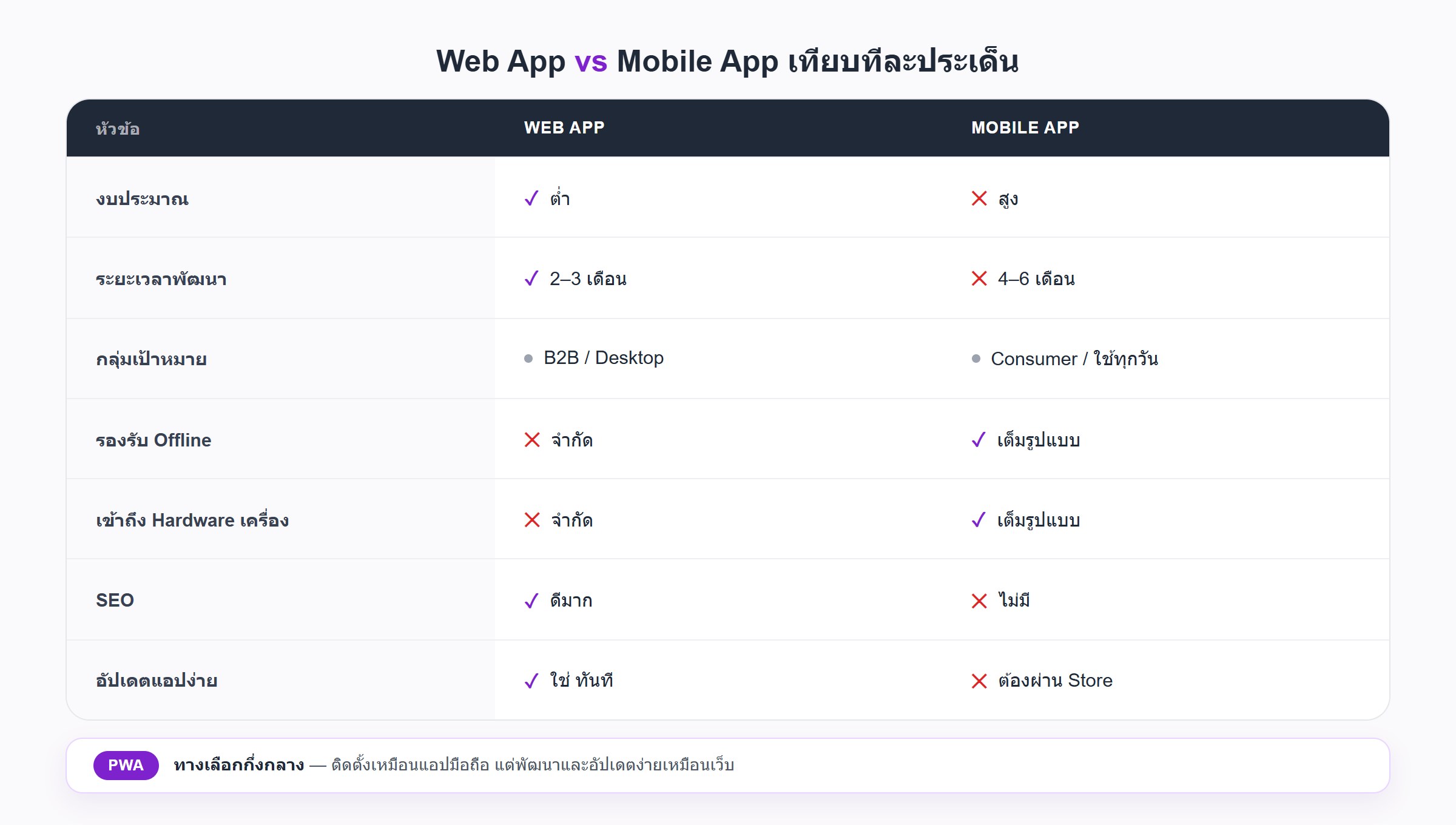
| ปัจจัย | Web App | Mobile App |
|---|---|---|
| Budget | ต่ำ | สูง |
| Time to Market | 2–3 เดือน | 4–6 เดือน |
| Target | B2B, Desktop User | Consumer, Daily Use |
| Offline Support | จำกัด (PWA พอได้) | เต็ม |
| Device Hardware | จำกัด | เต็ม |
| SEO | ดีมาก | ไม่มี |
| Update ง่าย | ใช่ | ต้องผ่าน Store |
คำแนะนำทั่วไป: เริ่มด้วย Web App → Validate → ขยายเป็น Mobile App เมื่อ Product/Market Fit ชัดเจน ธุรกิจส่วนใหญ่เสียเงินกับ Mobile App เร็วเกินไปก่อนรู้ว่า Product ตอบโจทย์ตลาดจริงหรือเปล่า
ต้องการปรึกษาว่า Product ของคุณเหมาะกับรูปแบบไหน ทีม Adowbig ยินดีให้คำแนะนำโดยไม่มีค่าใช้จ่าย