หลายเจ้าของธุรกิจมีความคิดอยากสร้าง Software เพื่อแก้ปัญหาในองค์กร ไม่ว่าจะเป็นระบบจัดการ Stock, ระบบ Booking, หรือแอปสำหรับลูกค้า แต่กลับติดอยู่กับคำถามเดิมว่า "ต้องเริ่มจากตรงไหน?"
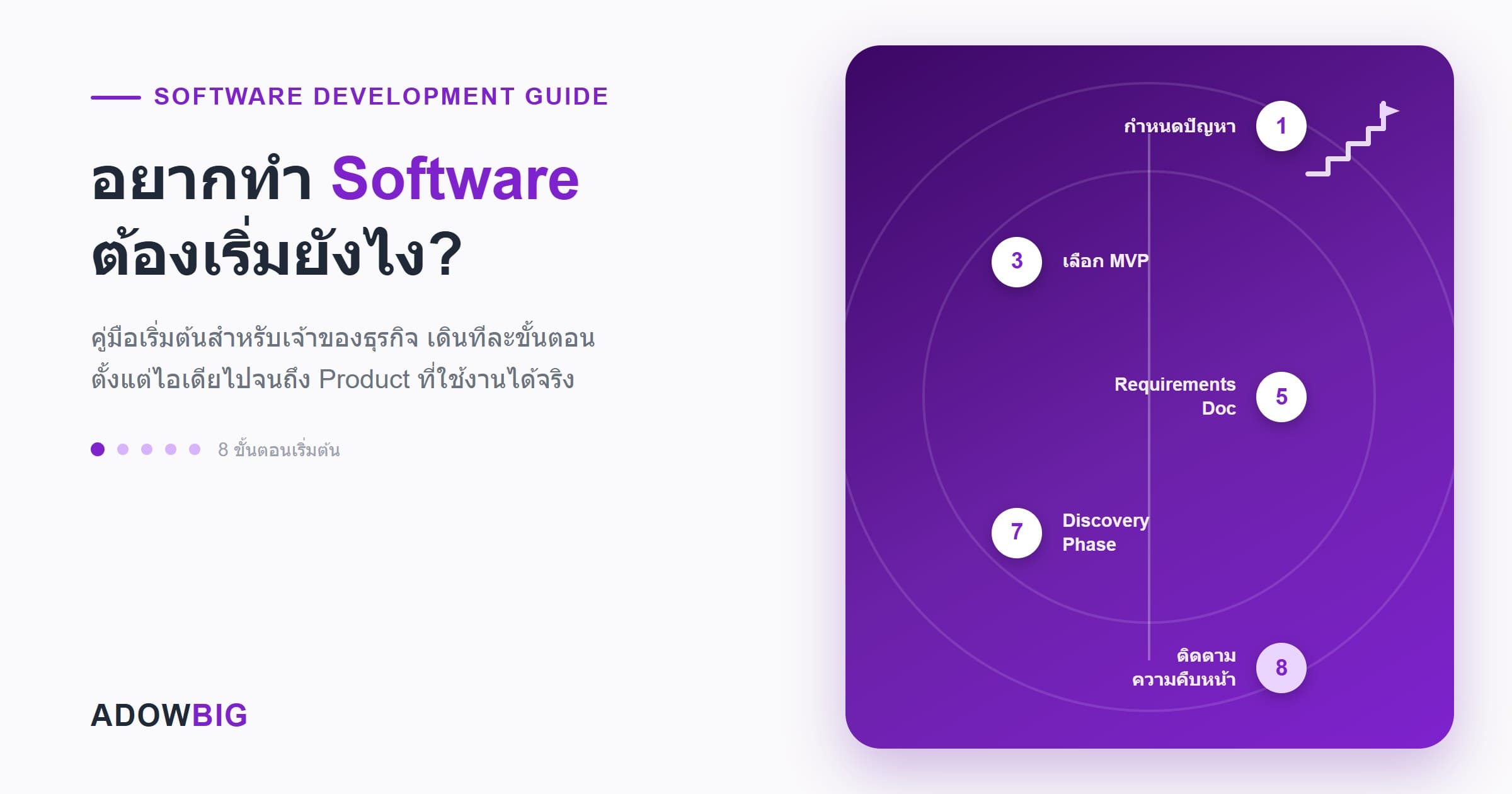
บทความนี้จะพาคุณเดินทีละขั้นตอน ตั้งแต่ความคิดไปจนถึง Software ที่ใช้งานได้จริง โดยไม่จำเป็นต้องมีพื้นฐานเทคนิคเลย
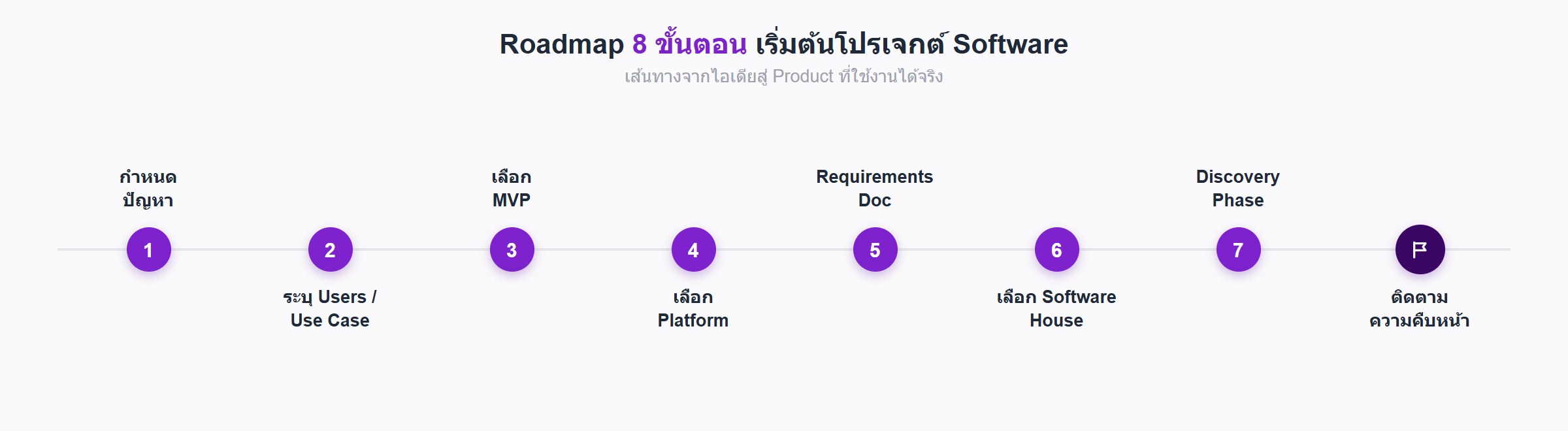
ขั้นตอนที่ 1: กำหนดปัญหาให้ชัดเจน
ก่อนคิดถึงเทคโนโลยี ให้ตอบคำถามนี้ก่อน: "Software นี้จะแก้ปัญหาอะไร?"
ปัญหาที่ดีสำหรับ Software มักมีลักษณะ:
- ทำซ้ำๆ บ่อยๆ — งานที่ทำมือทุกวันแต่ใช้เวลานาน
- มีข้อผิดพลาดสูง — เช่น คีย์ข้อมูลผิด คำนวณเลขพลาด
- ต้องการข้อมูล Real-time — เช่น Stock ที่ต้องรู้ว่าเหลือเท่าไหร่ตอนนี้
- Scale ไม่ได้ — งานที่ทำได้ตอนธุรกิจเล็กแต่พังตอนโตขึ้น
ตัวอย่าง: แทนที่จะบอกว่า "อยากทำ App จัดการโรงแรม" ให้ระบุว่า "ตอนนี้ Reception ต้องเปิด Excel 3 ไฟล์เพื่อเช็กห้องว่าง และมี Overbooking เฉลี่ย 2 ครั้งต่อสัปดาห์"
ขั้นตอนที่ 2: ระบุผู้ใช้งานและ Use Case หลัก
ถามตัวเองว่า:
- ใครจะใช้ Software นี้? (พนักงาน, ลูกค้า, หรือทั้งคู่)
- พวกเขาจะใช้ทำอะไร? (เรียกว่า Use Case)
- ใช้จากอุปกรณ์อะไร? (คอมพิวเตอร์ในออฟฟิศ, มือถือส่วนตัว, Tablet ในโกดัง)
ตัวอย่าง Use Case สำหรับระบบจัดการ Warehouse:
- พนักงานสแกน Barcode รับสินค้าเข้า
- ระบบอัพเดต Stock อัตโนมัติ
- Manager ดูรายงาน Stock แบบ Real-time
- ระบบแจ้งเตือนเมื่อสินค้าใกล้หมด
ขั้นตอนที่ 3: ตัดสินใจ MVP ก่อน Full Product
MVP (Minimum Viable Product) คือเวอร์ชันที่เล็กที่สุดของ Software ที่ยังมีคุณค่าพอให้ใช้งานได้จริง
ทำไมต้องทำ MVP ก่อน?
- เร็วกว่า — ออก Market ได้ภายใน 2–4 เดือนแทนที่จะรอข้ามปี
- ถูกกว่า — ลงทุนน้อยกว่า Full Product 60–80%
- ลด Risk — ทดสอบ Assumption ก่อนลงทุนเต็มที่
- ได้ Feedback จริง — รู้ว่า User ต้องการอะไรจริงๆ ก่อน Build ต่อ
วิธีเลือก Feature สำหรับ MVP
ลิสต์ Feature ทั้งหมดที่อยากได้ แล้วแบ่งเป็น 3 กลุ่ม:
| กลุ่ม | คำอธิบาย | ทำใน MVP? |
|---|---|---|
| Must Have | ถ้าไม่มีตัวนี้ Software ใช้ไม่ได้เลย | ✅ ทำ |
| Should Have | มีจะดีมาก แต่ยังอยู่ได้โดยไม่มี | ❌ เก็บไว้ Phase 2 |
| Nice to Have | อยากได้แต่ไม่จำเป็น | ❌ Backlog ไว้ก่อน |
ขั้นตอนที่ 4: เลือก Platform ให้ถูกต้อง
| ต้องการอะไร | Platform ที่เหมาะ |
|---|---|
| ใช้ในออฟฟิศ บนคอม | Web Application |
| พนักงานใช้ขณะเดินทาง | Mobile App (iOS/Android) |
| ทั้งสองอย่าง | Web App + Progressive Web App (PWA) |
| ลูกค้า B2C ทั่วไป | Mobile App หรือ Web |
| ระบบภายในองค์กร | Web Application เกือบทุกกรณี |
คำแนะนำ: Web Application ยืดหยุ่นกว่าและถูกกว่าในขั้นแรก Mobile App เพิ่มทีหลังได้เสมอ
ขั้นตอนที่ 5: จัดทำ Requirements Document
ก่อนติดต่อ Software House ให้เตรียมเอกสารสั้นๆ (2–5 หน้า) ที่มี:
- Business Problem — ปัญหาที่ต้องการแก้
- Target Users — ใครใช้ ใช้ยังไง
- Core Features — Feature หลักที่ MVP ต้องมี
- Platform — Web, Mobile, หรือทั้งคู่
- Integrations — ระบบที่ต้องเชื่อมต่อ (เช่น LINE, Payment Gateway, ERP เดิม)
- Timeline — วันที่ต้องการ Go-Live
- Budget Range — งบประมาณคร่าวๆ (ไม่ต้องละเอียด)
ไม่จำเป็นต้องสมบูรณ์แบบ 100% เพราะ Software House ที่ดีจะช่วย Refine ให้
ขั้นตอนที่ 6: เลือก Software House ที่ใช่
เมื่อมี Requirements แล้ว ถึงเวลาติดต่อ Software House โดยดูจาก:
- Portfolio — เคยทำงานที่คล้ายกับของคุณไหม?
- Process ที่ชัดเจน — มี Discovery Phase, มี Prototype ก่อน Code ไหม?
- การ Communicate — ตอบคำถามชัดเจน ไม่ใช้ Jargon เทคนิคมากเกินไป
- Maintenance Plan — หลัง Go-Live ดูแลต่ออย่างไร?
- Contract ที่โปร่งใส — Scope, Timeline, Payment Milestone ชัดเจน
ขั้นตอนที่ 7: Discovery Phase — อย่าข้ามขั้นตอนนี้
Software House ที่ดีจะมี Discovery Phase (หรือเรียกว่า Inception, Scoping) ก่อนเริ่ม Code ซึ่งจะรวมถึง:
- Workshop กับ Stakeholder ทุกฝ่าย
- User Journey Mapping
- Wireframe/Prototype
- Technical Architecture Design
- Cost & Timeline ที่แม่นยำ
Discovery Phase ใช้เวลา 1–3 สัปดาห์และมีค่าใช้จ่ายแยกต่างหาก แต่คุ้มค่ามากเพราะช่วยลด Risk ของโปรเจกต์ได้มหาศาล
ขั้นตอนที่ 8: ติดตามความคืบหน้าอย่างสม่ำเสมอ
 ระหว่างพัฒนา:
- เข้าร่วม Sprint Review ทุก 2 สัปดาห์ — ดูงานที่ทำเสร็จแล้ว
- ทดสอบ Feature ใหม่ทันที อย่ารอจนใกล้ Go-Live
- ให้ Feedback เร็วๆ — การแก้ตอนพัฒนาถูกกว่าแก้หลัง Launch มาก
- ใช้ Project Management Tool เช่น Linear, Jira, หรือแม้แต่ Notion
สรุป: Checklist เริ่มต้นทำ Software
- กำหนดปัญหาให้ชัดเจน (ไม่ใช่แค่ "อยากมี App")
- ระบุ Users และ Use Cases หลัก
- ตัดสินใจ MVP vs Full Product
- เลือก Platform (Web/Mobile/Both)
- เตรียม Requirements Document เบื้องต้น
- Request Quote จาก Software House 2–3 เจ้า
- Compare ไม่ใช่แค่ราคา แต่รวม Process, Portfolio, Communication
- เริ่ม Discovery Phase ก่อน Development
ถ้าคุณทำได้ครบ Checklist นี้ คุณมีโอกาสสูงมากที่โปรเจกต์ Software จะสำเร็จตามเป้าหมาย
ทีม Adowbig พร้อมช่วยตั้งแต่ขั้นแรก ไม่ว่าคุณจะมีแค่ไอเดียหรือมี Spec ครบแล้ว ติดต่อเราเพื่อปรึกษาฟรี